
Shed plans in 3D, with a materials list and cut list
Draw your shed, see it in 3D, get a detailed cut list and compare prices at hardware stores in the United States, Canada and Europe.


English and FrenchUnited States, Canada and Europe
The app in pictures
From sketch to materials list
What the app does
Everything you need to plan your shed
Simple tools to design your shed from start to finish.
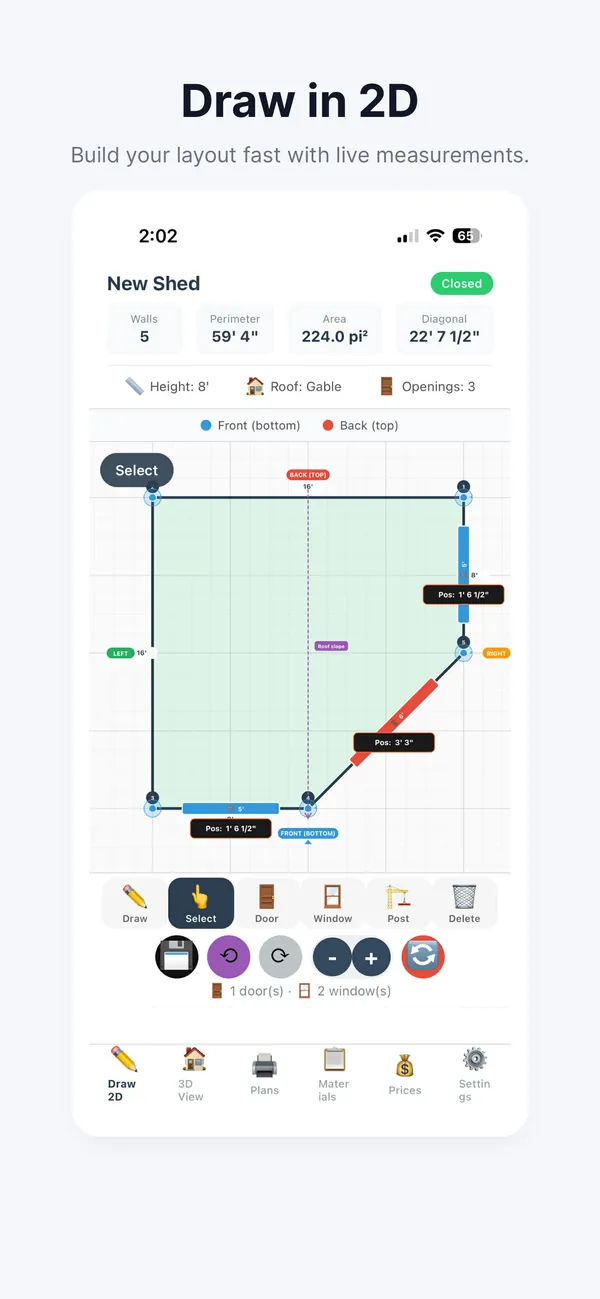
Interactive 2D drawing
Trace your shed’s perimeter point by point on a grid: measurements, angles and diagonals appear in real time.
Doors and windows
Place openings on your walls, at the size you want. The framing (headers, studs) adjusts automatically.
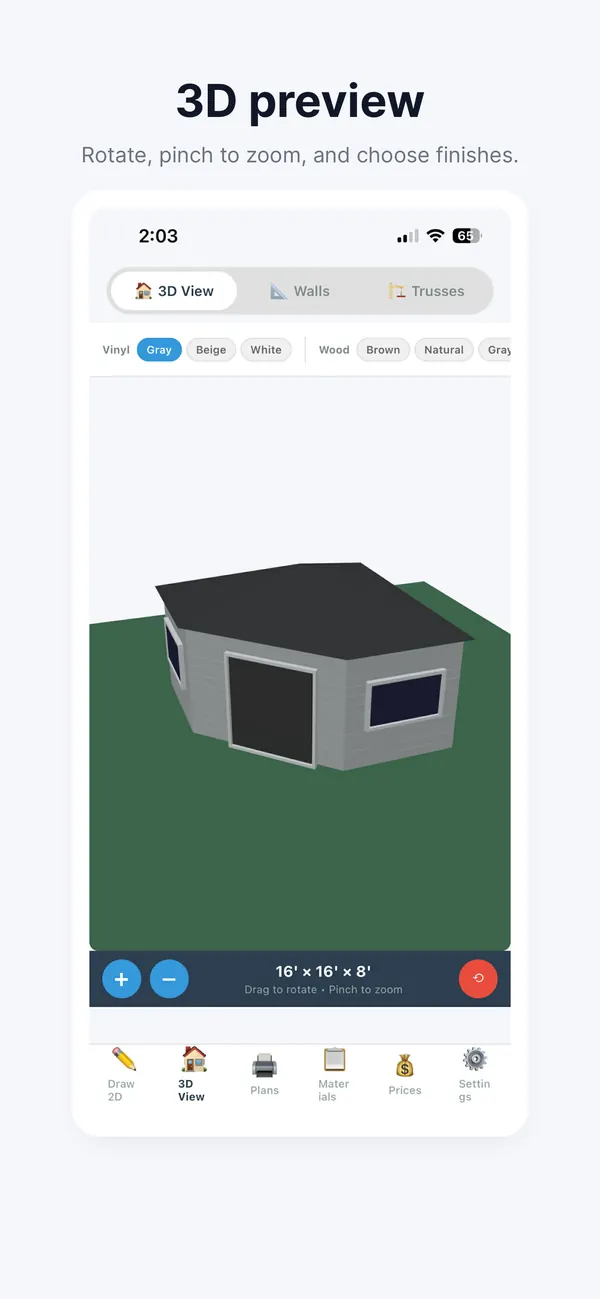
3D visualization
A 3D view you can rotate: the walls, the roof, the doors and the windows, with your choice of wall and roof colors, before you start.
Plans for every wall
A top view with numbered walls and their exact dimensions, then a to-scale elevation of each wall: studs, plates, headers, and the king and jack studs around the windows.
Floor framing plan
The joist layout with the joist spacing, the rim joists and the blocking.
Materials list
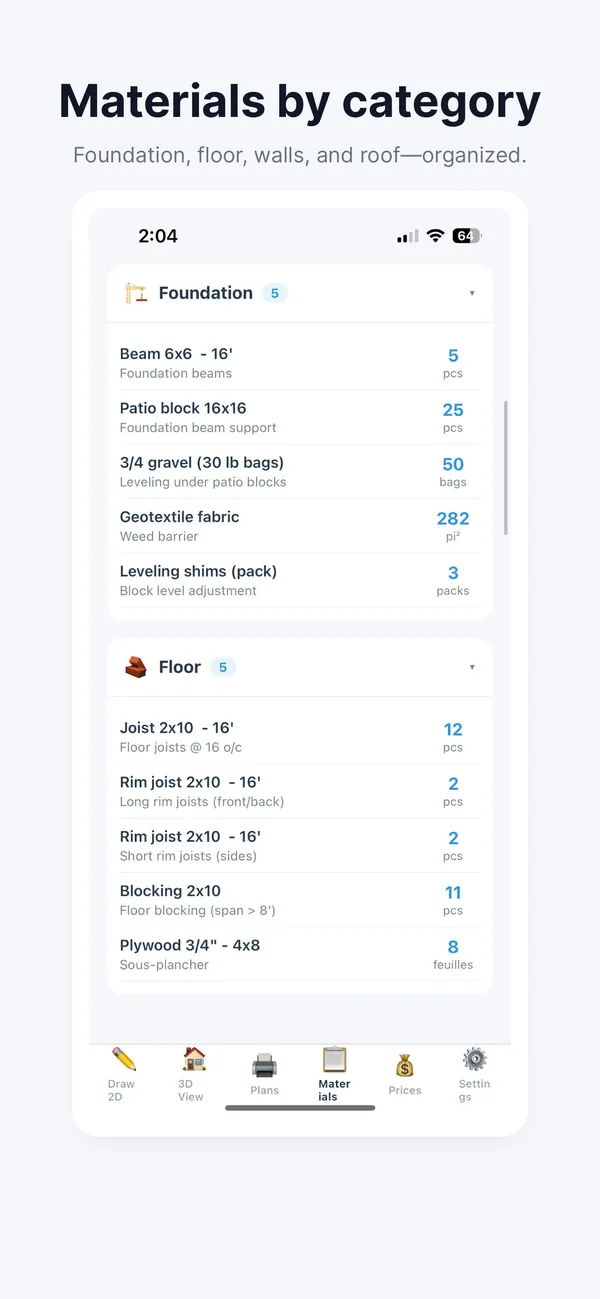
Every material calculated automatically and sorted by category (foundation, floor, walls, roof): framing lumber, siding, hardware and more.
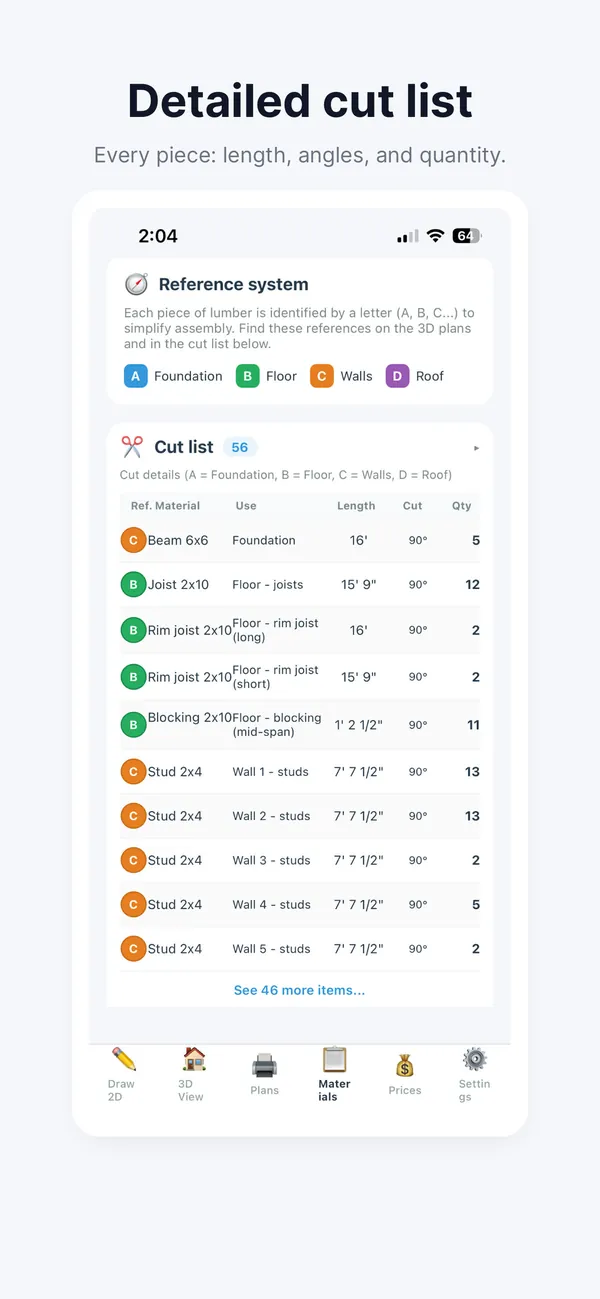
Detailed cut list
The exact length of every piece to cut, so you can optimize your purchases and reduce material waste.
Flexible settings
Set the wall height, the stud spacing, and the roof type and pitch to fit your needs.
Lumber sizes for your region
Lumber dimensions adapt to North America or Europe. The app is available in English and French.
How it works
As easy as 1, 2, 3, 4
From idea to shopping list in a few steps.
Draw the perimeter
Tap the screen to place points and create your shed’s shape. Close the perimeter by tapping the starting point.
Add the openings
Place the doors and windows on the walls. The app automatically calculates the headers and studs you need.
Set your options
Choose the wall height, the stud spacing, the roof type and its pitch to suit your preferences.
Get the list and the prices
Check the materials list and the detailed cut list, then compare prices at hardware stores.
Price comparison
Compare retailer prices
Find the best price for your materials at hardware stores in the United States, Canada and Europe.
United States
Home Depot, Lowe’s, Menards and Ace Hardware
Canada
Home Depot, RONA, BMR, Canac and Patrick Morin
Europe
Leroy Merlin, Castorama, B&Q, OBI and Hornbach
The app compares the total at each retailer and finds the stores nearest you by GPS.
On video
Voyez l’application en action
 Un cabanon dessiné en 5 minutes : dessin, portes, fenêtres et vue 3DWatch on YouTube
 La vue 3D : couleurs, toit et matériaux en temps réelWatch on YouTube
 Comparer les prix chez BMR, Home Depot et d’autres quincailleriesWatch on YouTube
 Plans automatiques : élévations, listes de coupe et export PDFWatch on YouTube
Frequently asked questions
What people ask us
How do I draw my shed in Shed Sketch 3D?
Tap the screen to place points and create your shed’s shape, then close the perimeter by tapping the starting point. Measurements, angles and diagonals appear in real time. Then place the doors and windows: the app automatically calculates the headers and studs you need.
What’s in the materials list and the cut list?
The materials list covers everything you need, sorted by category (foundation, floor, walls, roof): framing lumber, siding, hardware and more. The cut list gives, piece by piece, the size and the exact length of every piece to cut.
Which retailers can I compare prices at?
In the United States: Home Depot, Lowe’s, Menards and Ace Hardware. In Canada: Home Depot, RONA, BMR, Canac and Patrick Morin. In Europe: Leroy Merlin, Castorama, B&Q, OBI and Hornbach. The app compares the total at each retailer and finds the stores nearest you by GPS.
Does the app work outside Canada?
Yes. Lumber dimensions adapt to North America or Europe, the price comparison covers hardware stores in the United States, Canada and Europe, and the app is available in English and French.



Trust
Feel free to write to us
Privacy
Terms
The subscription is optional and can be canceled in your App Store or Google Play account settings.
Ready to plan your shed?
Download Shed Sketch 3D and start your project today.